Property management for short-term rentals
Five booking sites. One calendar.
Run every unit, every booking and every guest chat from one place. Built in Malaysia for short-term rental operators.
Opens the sign-in screen: tap Request access there. Orbique sets up your workspace and sends your sign-in details on WhatsApp.
- Airbnb
- Booking.com
- Agoda
- Expedia
- Trip.com
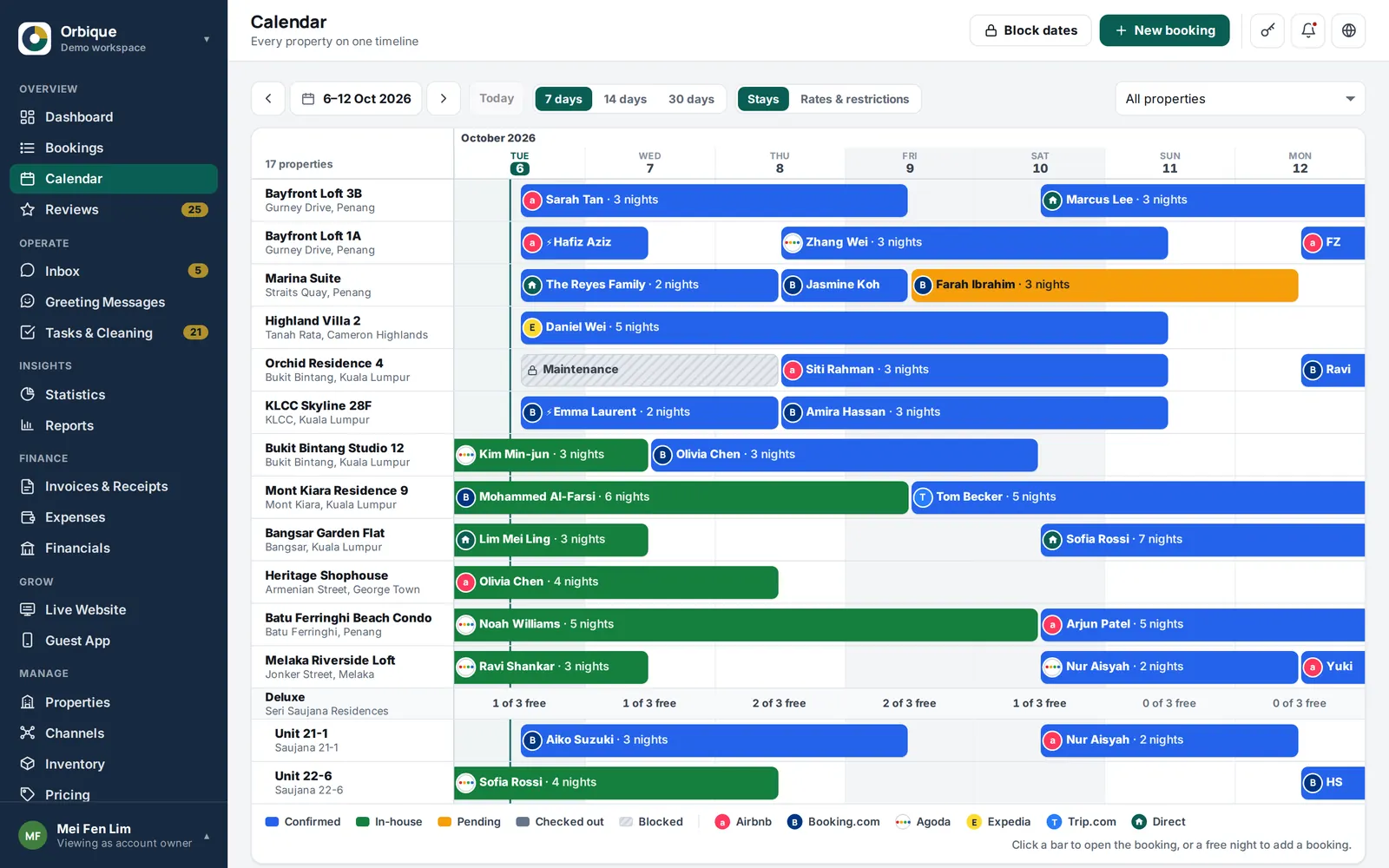
Real app screen with the built-in demo data. Guests and units are fictional.
Take it apart
Every piece of your day, in one app.
 1
1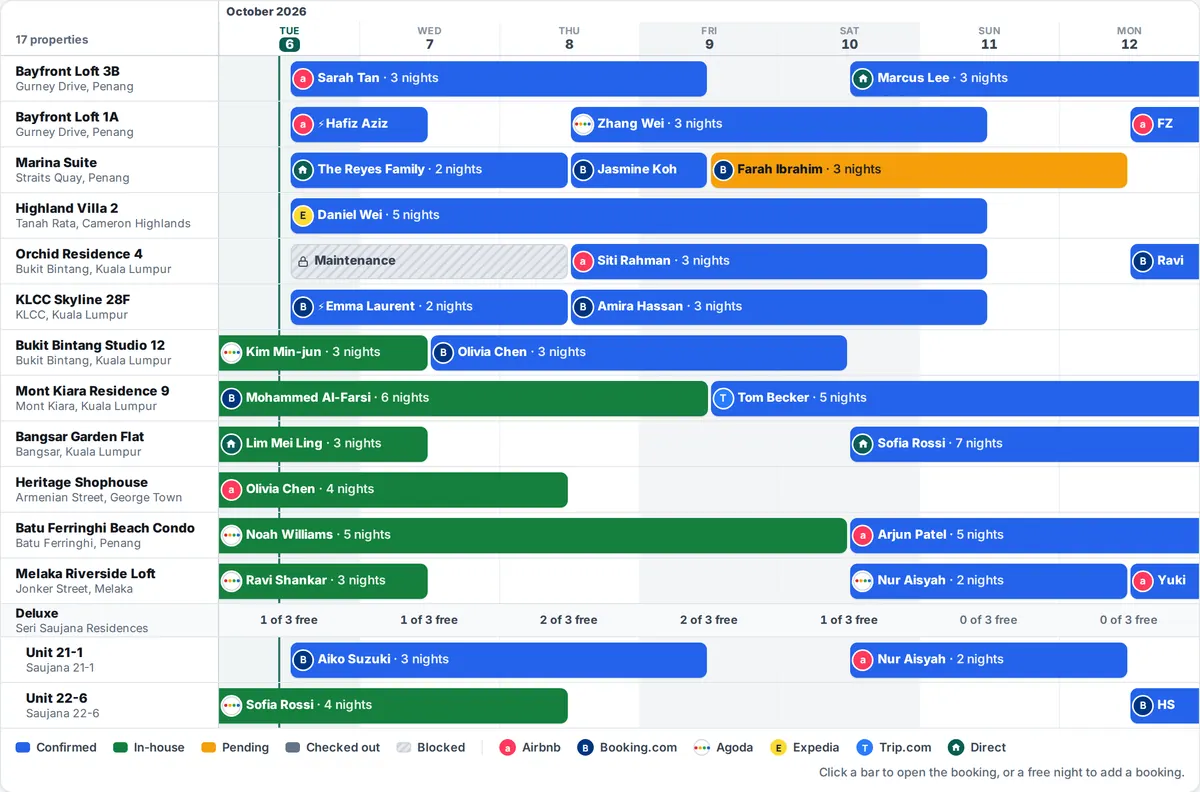 2
2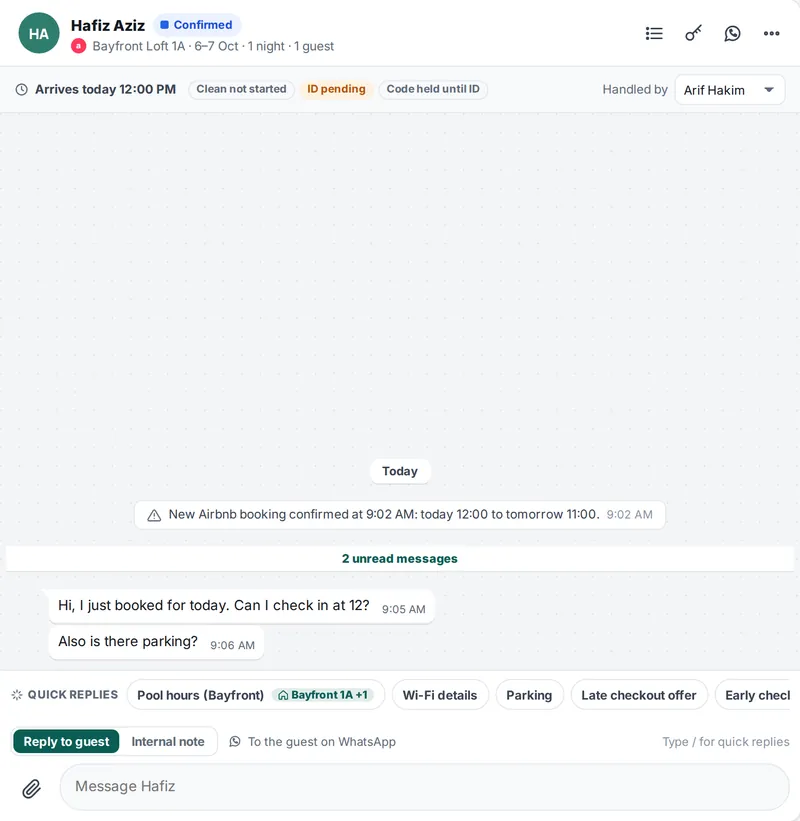 3
3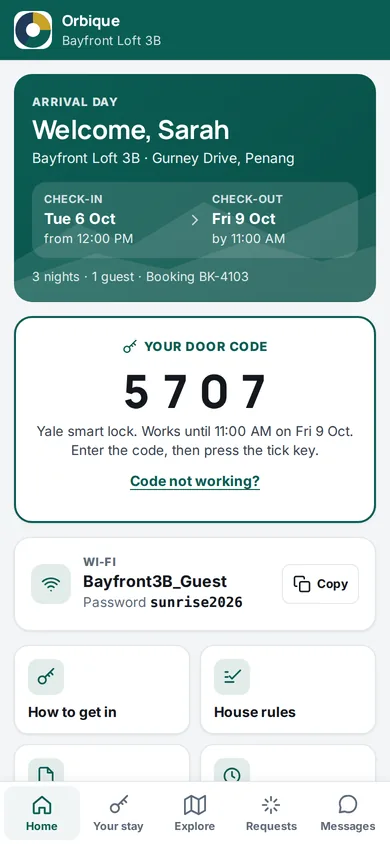 5
5- Booking alertsNew bookings, cancellations and date changes, the moment they land.
- Guest appEach booking gets its own link with the door code and Wi-Fi.
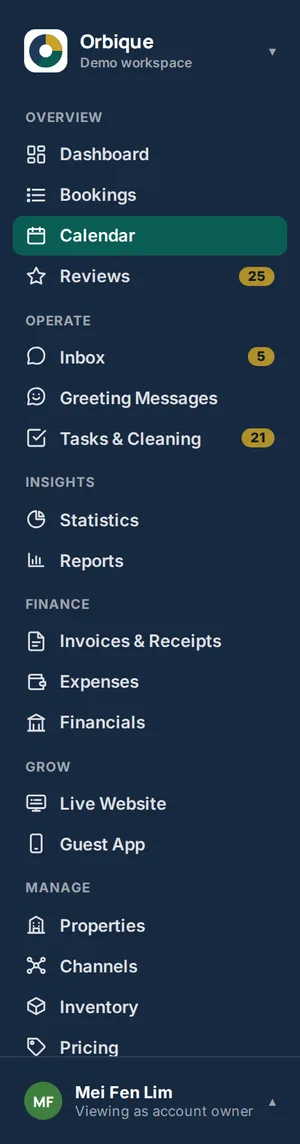
- One calendarEvery property on one timeline, every booking site in its colour.
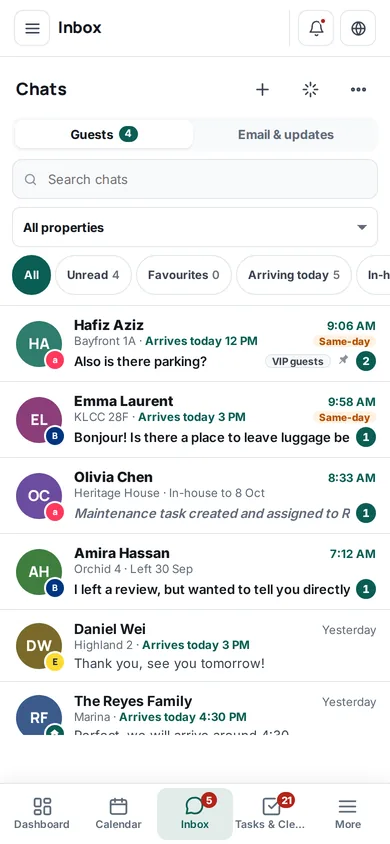
- InboxOne chat per stay, with the booking right beside it.
- Quick repliesAnswers your team saves once and sends with a tap.
- Every sectionBookings, inbox, tasks, money, team, all one tap away.
Orbique PMS in numbers
- 5booking sites in one calendar
- 3ways to get booking alerts
- 24hbefore check-in, the door code shows
- 26languages the inbox translates
- 6staff roles ready to use
- 52permission switches per person
- 30daysto restore a deleted chat
- 16MBvideos you can send to guests
Channel manager
Every booking site. One calendar.
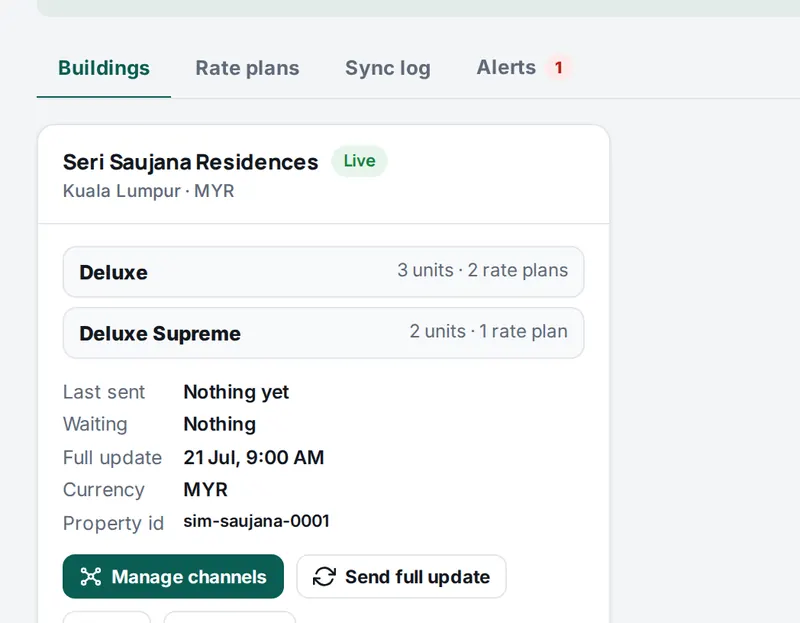
Connect Airbnb, Booking.com, Agoda, Expedia and Trip.com through the Channex channel manager. Orbique sends your availability, rates and restrictions and brings every booking into one timeline.
- See 7, 14 or 30 days on a computer
- Tap a bar to open the booking, tap a free night to add one
- Block dates for owner stays and repairs
Inbox
Every guest chat. One chat per stay.
WhatsApp, booking-site chat and booking emails come into one inbox, next to the booking they belong to. Tap a dot to see what each part does.

- Every channelWhatsApp, booking-site chat and booking emails. Guests on one tab, emails and updates on the other.
- Keep it tidyPin, favourite, add to a list or archive. Deleted chats can be brought back for 30 days.
- The stay at a glanceArrival time, cleaning, ID check and door code status above every chat.
- TranslationGuest messages show in your team's language, with the original a tap away. 26 languages.
- Quick repliesSave answers once, tag them to units, and the booking fills in the details.
- Photos and videosSend photos up to 5 MB and videos up to 16 MB with a caption.
- Internal notesNotes in the chat that only your team sees.
- Greeting message per building
- Reply the way the guest wrote
- Assign a chat to a teammate
- New messages ring the alert chime
Guest app
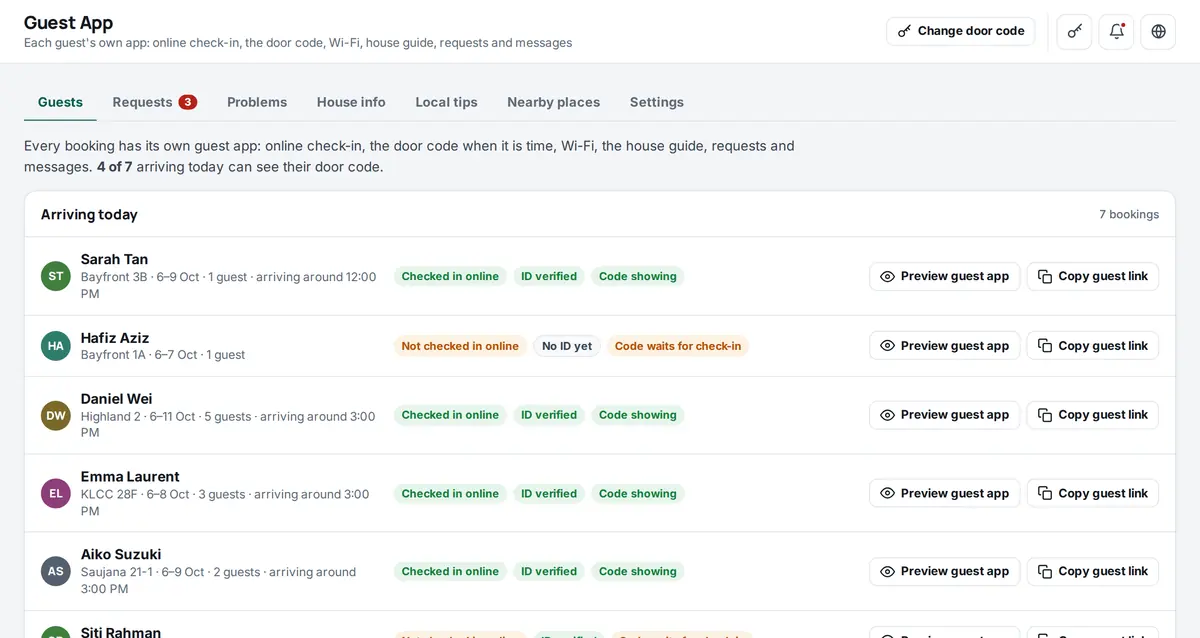
A guest app for every booking.
Each booking gets its own link. Nothing to download, no sign-in. The guest checks in online and gets everything for the stay.
- Online check-in and ID check (passport or MyKad)
- Wi-Fi, house guide and house rules
- Nearby places with maps that work offline
- Requests and messages straight to your team
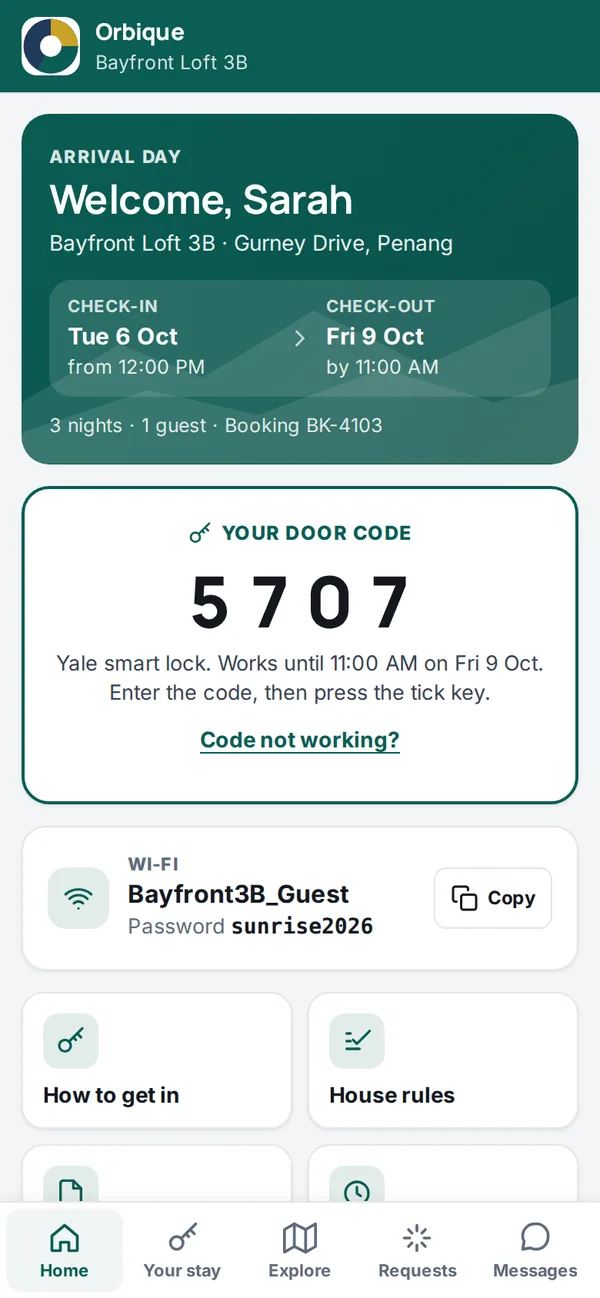
- One link per bookingThe guest opens it in the browser. No app to install, no password.
- Check-in and check-outTimes, nights, guests and the booking number.
- Door codeShows from 24 hours before check-in, after online check-in and the ID check.
- Wi-FiName and password, with a copy button.
- House guideHow to get in, house rules and local tips.
- MessagesGuests write to your team from the app.
Booking alerts
Know the moment a booking lands.
New bookings, cancellations and date changes from every booking site reach your team 3 ways: email, WhatsApp and a push to the Orbique Android app (in testing). When Orbique is open on a screen, it also plays its own loud chime.
Example alerts with demo guests.
Pricing
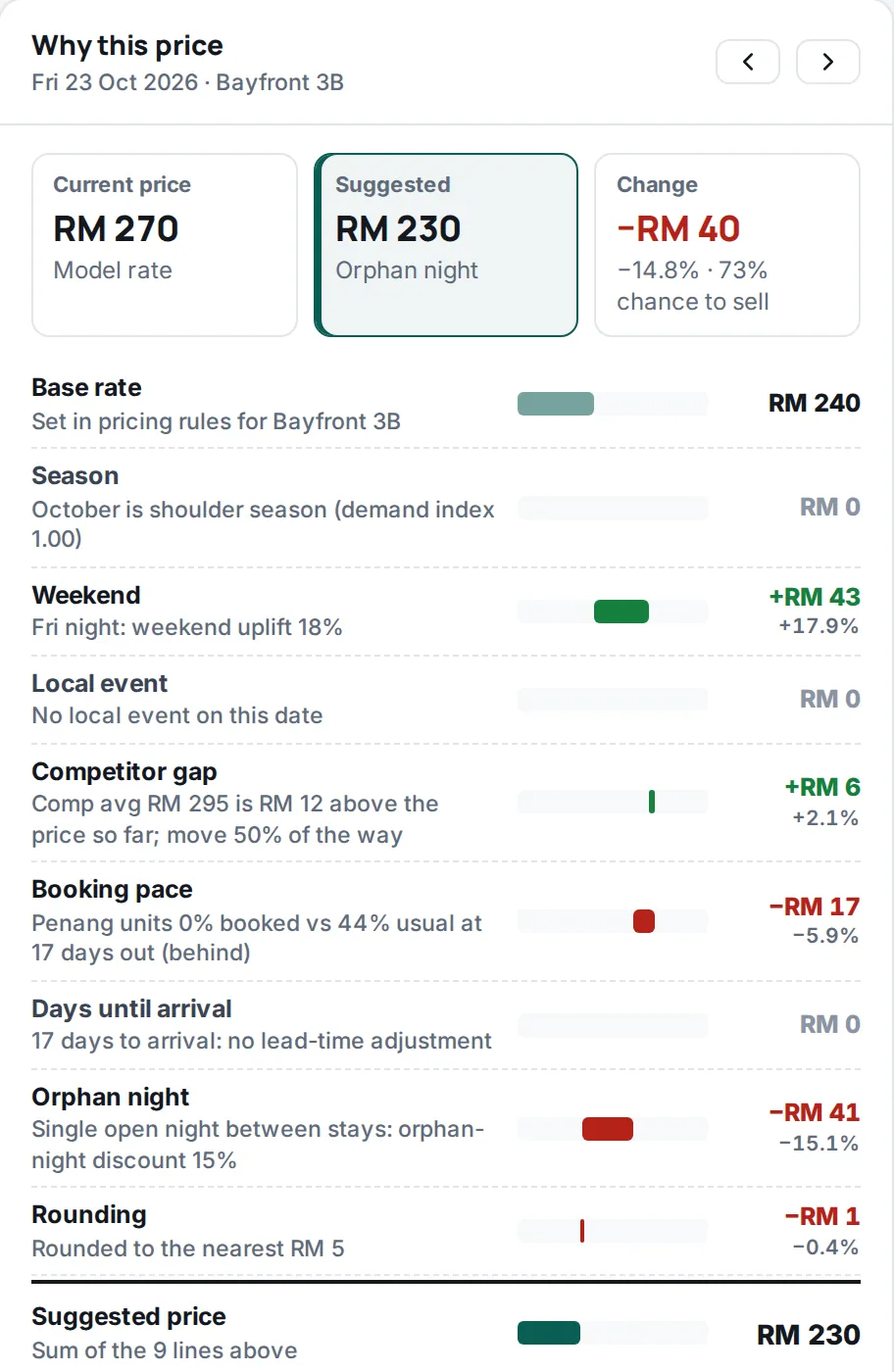
Prices with the reason behind each one.
Orbique suggests a price for every night and shows how it got there. Rate plans and restrictions go out to the booking sites through the channel manager.
- Rate plans per unit type, minimum stay, stop sell
- Profit planner: your costs and profit target turned into nightly rates
- Rate plans to compare, each with its risk, pros and cons
*Market figures are sample data until a market data feed is connected.
Team
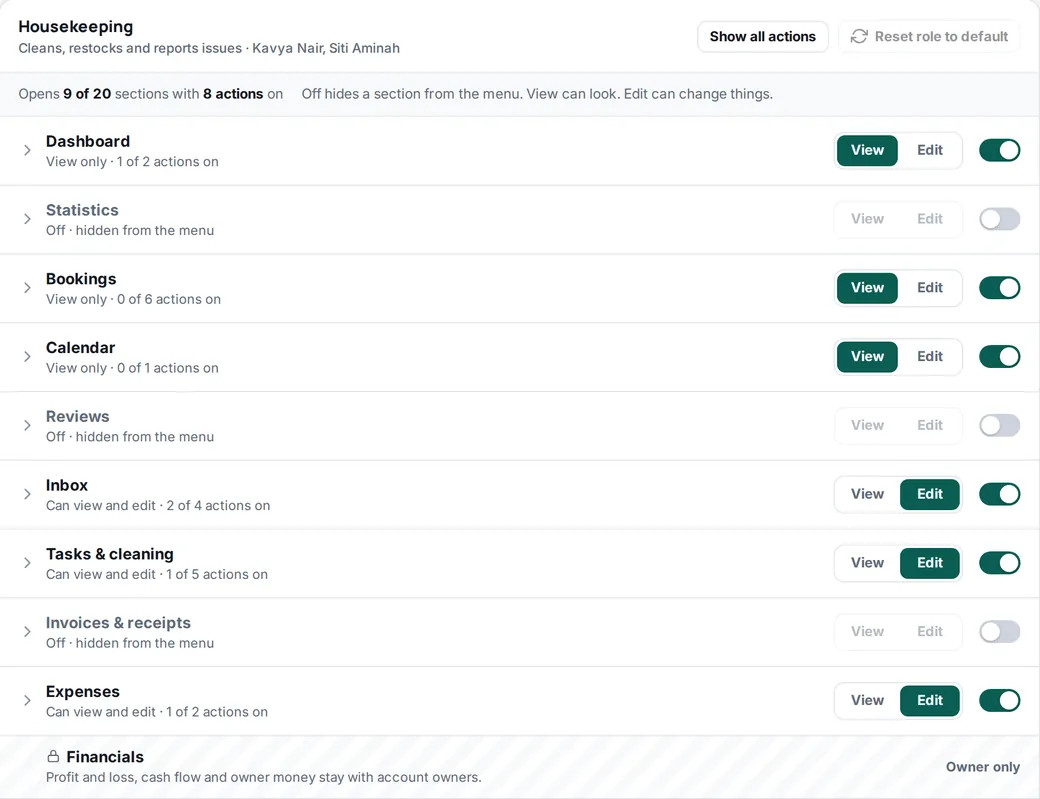
Everyone sees what their job needs.
Pick a role for each person, then fine-tune it: 52 switches across 20 sections. Cleaners do not see the money, accountants do not see the door codes. Financials and the profit planner stay with account owners.
- Account owner
- Ops manager
- Front desk
- Housekeeping
- Maintenance
- Accountant
Operations
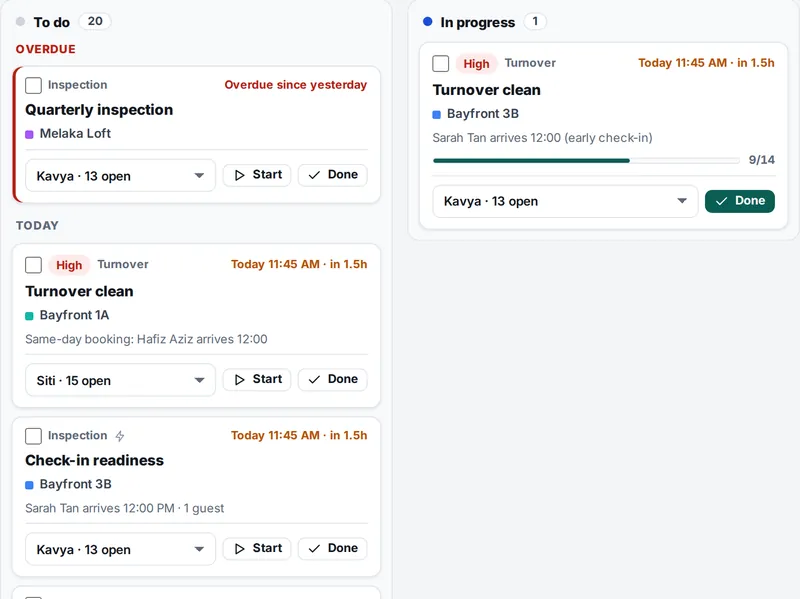
The work behind every stay.
-
Tasks and cleaning
Assign tasks to staff, with checklists for turnovers and daily housekeeping.
-
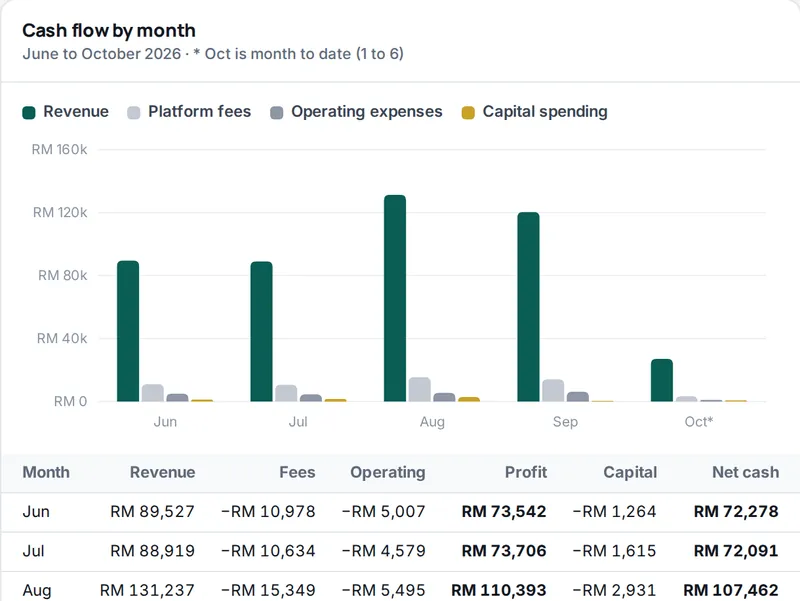
Financials
Profit and loss, cash flow and each property's numbers, as PDF or CSV.
-
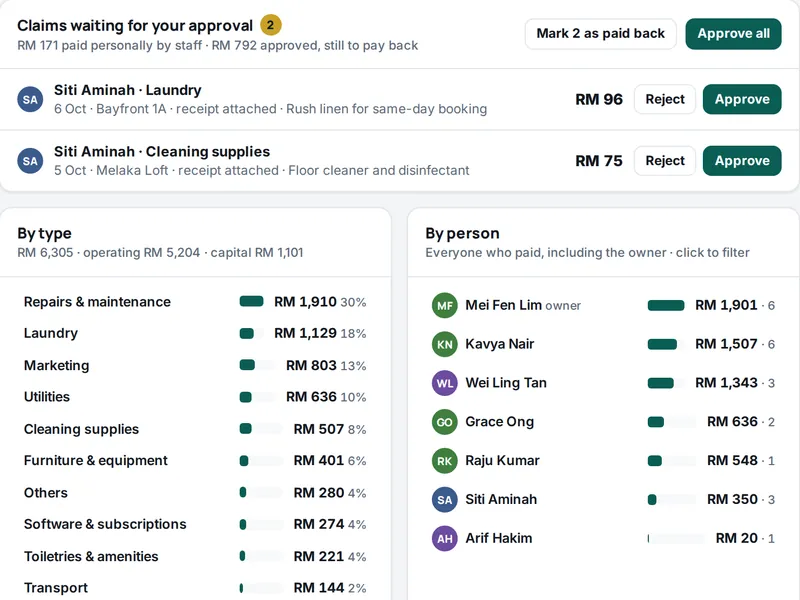
Invoices and expenses
An invoice for every booking and a receipt when it is paid. Staff snap receipts and claim money back.
-
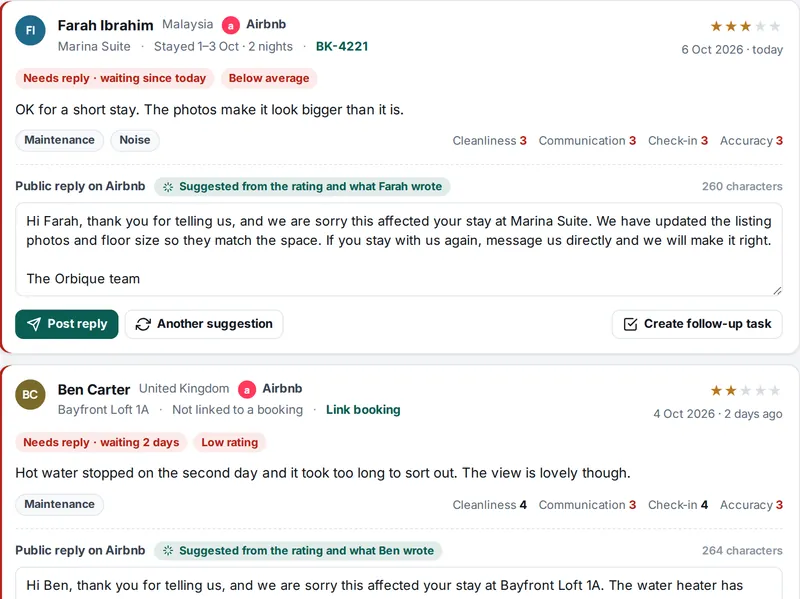
Reviews
Reviews from your booking sites, a suggested reply for each, and which ones still need an answer.
On your phone
The whole business in your pocket.
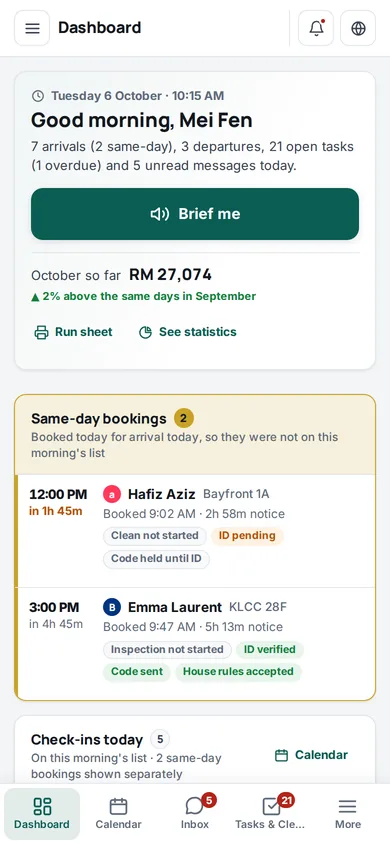
Use Orbique in the phone's browser or add it to your home screen. An Android app is in testing. Same sign-in, same data, every section.
- Booking alerts as phone push with the loud chime, through the Android app (in testing)
- Brief me: hear your day read out loud
- Snap receipts and task photos with the camera
Run your rentals from one place.
Tell us about your business. Orbique sets up your workspace and sends your sign-in details on WhatsApp.
Opens the Orbique sign-in screen. Tap Request access there and fill in a short form.